
Last-minute Black Friday checks
If you're reading this now, it's not too late. These are the checks that matter most in the final 10 days before Black Friday and Cyber Monday.
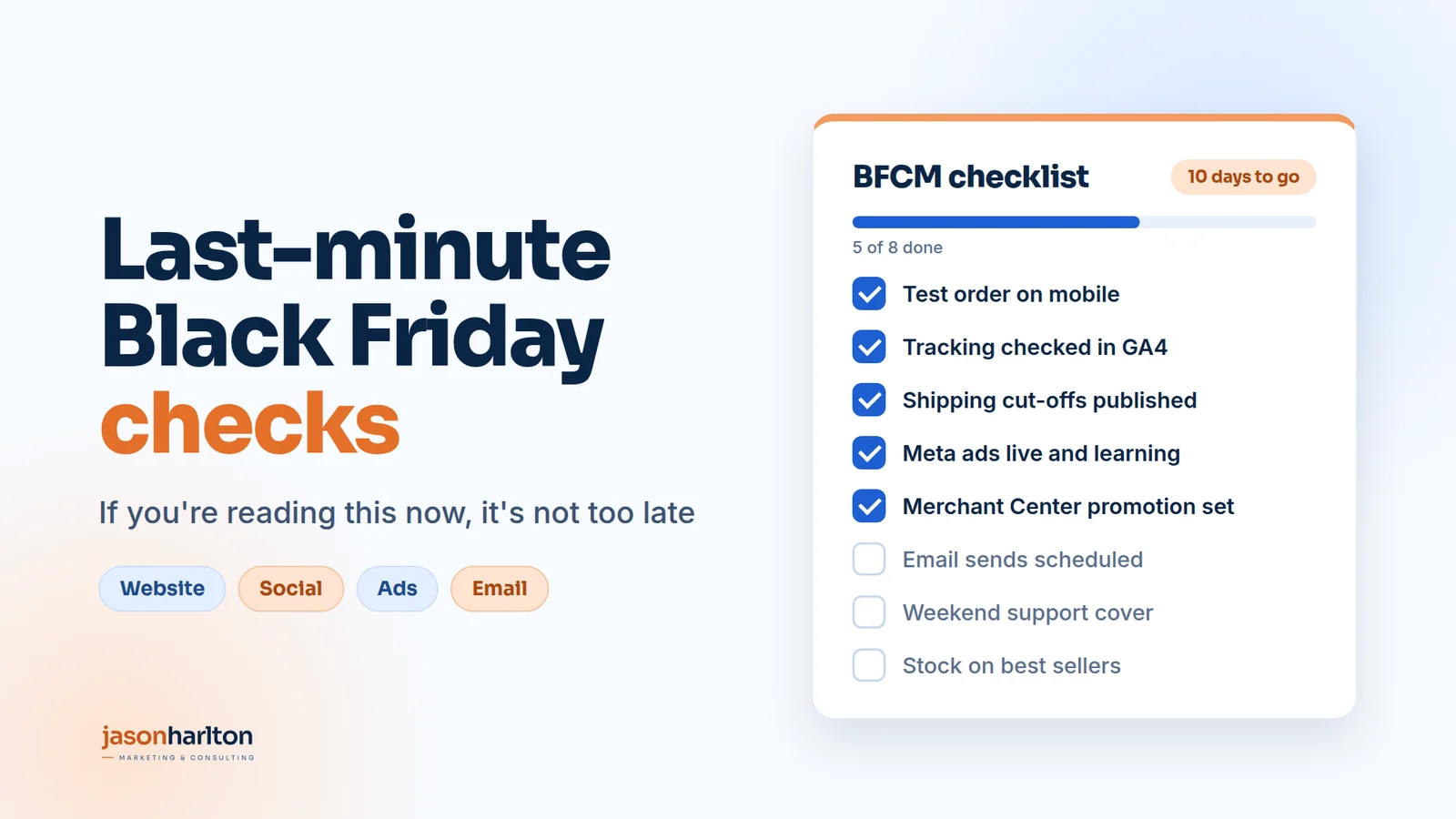
If you're reading this now, it's not too late.
Black Friday is 10 days away. Maybe your plan is half finished, your emails aren't written yet, or you've been too busy running the business to think about it.
Ideally, Black Friday and Cyber Monday (BFCM) planning starts in September or earlier. That's how I plan with my clients: offers, creative, budgets, tracking and stock are agreed weeks before the first sale ad goes live, so the final fortnight is about checking, not building. If that didn't happen for you this year, don't write the weekend off.
The last 10 days are where the simple checks pay off most. You don't need a new strategy or a new website. You need to make sure what you already have works, that people can find your offer, and that nothing breaks when the traffic arrives.
The stakes are real. In the US alone, shoppers spent $44.2 billion online over Cyber Week 2025, the five days from Thanksgiving to Cyber Monday, up 7.7% on the year before (Adobe). Black Friday brought in $11.8 billion of that, and Cyber Monday $14.25 billion.
This guide walks through the checks channel by channel: your discount, your website, organic social, social proof and influencers, ad costs and budgets, Meta and Google ads, what creative to use, email, the things that are easy to forget, and what to do if your brand is brand new. There's also a free checklist version you can tick off as you go, linked at the end.
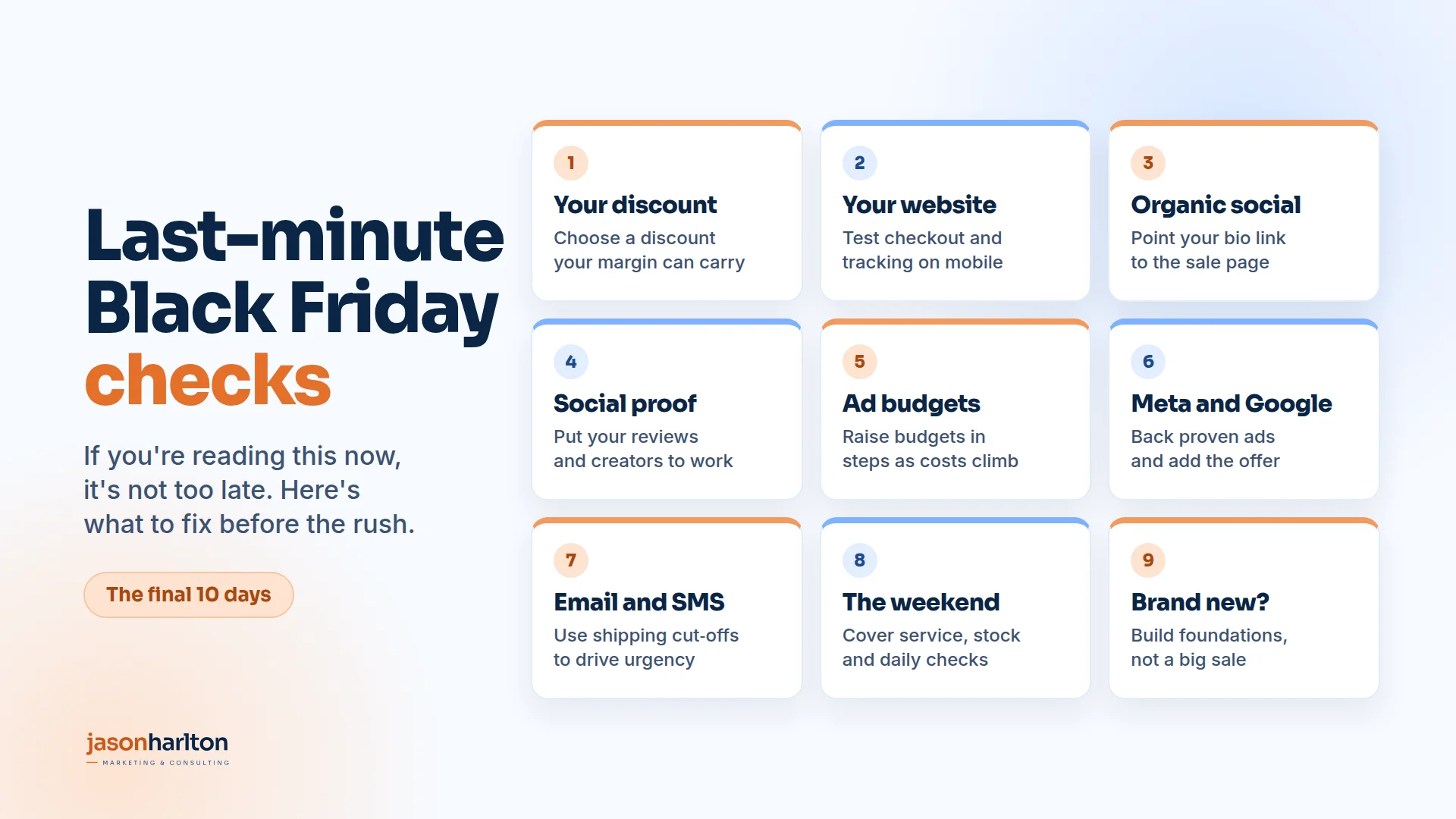
If you only have an hour
Short on time? Do these five things first. They prevent the most expensive mistakes.
- Place a real test order on your phone. Use a discount code, pay with a real card, and check the confirmation email arrives.
- Check your tracking. Make sure purchases show up in GA4, Meta Events Manager and Google Ads with the right value.
- Confirm your offer everywhere. The same discount, dates and terms on your site, ads, emails and social posts.
- Check stock on your best sellers. Promote what you can actually ship.
- Write down your shipping cut-off dates and put them on your site.
Everything else in this guide builds on those five.
Your discount: how deep should you go?
Before you check anything else, check the offer itself. The size of your discount decides whether a record weekend actually makes you money. A bigger discount isn't always a better one.
Start with your margin, not your competitors
Work out what you actually keep from each sale. Take the selling price, then subtract the cost of the product, packaging, shipping, payment fees and an allowance for returns. What's left, as a percentage of the price, is the margin a discount comes out of.
Then work out how many more sales you need just to make the same profit as you would at full price. The formula is simple:
Extra sales needed = discount ÷ (margin − discount)
| Your margin | 10% off | 20% off | 30% off | 40% off |
|---|---|---|---|---|
| 40% | 33% more | 100% more | 300% more | No profit left |
| 50% | 25% more | 67% more | 150% more | 400% more |
| 60% | 20% more | 50% more | 100% more | 200% more |
In other words, if you keep 50% of every sale and offer 30% off, you need two and a half times your usual sales just to make the same profit. That's before you count the extra ad spend, which is at its most expensive this week.
What other brands are offering
You don't need to match the biggest headline discounts. Adobe's 2025 data put the average online discount across measured categories at 23.7% on Black Friday, the most discounted day of the season, with peaks of around 25% for apparel and 31% for electronics (Adobe). Those are large retailers with buying power. A smaller brand with a strong product and real reviews can do well with less.
What makes sense for your business
-
Higher margins give you more room, but that doesn't mean you have to use it all.
-
Lower margins usually call for a smaller discount, a minimum spend or a value-add instead of money off.
-
Products you want to clear, such as overstock or last season's lines, can take a deeper discount.
-
New or best-selling products often don't need a discount at all. Protect them.
-
First orders that lead to repeat purchases can justify a deeper discount, but only if your data shows those customers come back.
Offers that protect your margin
A straight percentage off isn't your only option. These often work as well and cost less:
-
Spend thresholds: for example, $20 off $100 or $50 off $200, which also lifts the average order.
-
Gift with purchase: a product with a high perceived value and a low cost to you.
-
Bundles: a set priced below the separate items, which moves more units per order.
-
Free shipping for the weekend, or above a lower threshold than usual.
-
Early access for your email and SMS subscribers, which rewards them and grows your list.
Don't shoot yourself in the foot: BFCM against the rest of the year
Your Black Friday discount only feels special if it's different from the rest of your year. If you run 20% off every few weeks, 25% off in November won't feel like an event. You've also taught your customers to wait for the next sale instead of buying at full price.
A few rules of thumb:
-
Make BFCM your deepest offer of the year, or close to it, and keep it short.
-
Keep full price as your normal price. Limit sitewide sales to a few planned moments a year.
-
Don't go deeper just to keep up. A discount you can't afford trains customers to expect it again next year.
-
Plan December now. If you go straight back to full price after Cyber Monday, December shoppers should still have a reason to buy, such as gift sets, gift cards or shipping-deadline offers.
Keep your "was" prices honest
Reference prices are regulated in many markets, and regulators watch them closely during Black Friday. In Canada, the Competition Bureau warns that you can't advertise "$100, now $50" if the item never really sold at $100. The regular price has to pass a volume test or a time test, and you need to be able to prove it (Competition Bureau Canada). In the EU, any announced price reduction must show the lowest price you charged in at least the previous 30 days, and the percentage off must be calculated from that price (European Commission).
The same thinking applies to your whole year. If a product is on sale more often than it's at full price, that full price may not count as your regular price. Keep records of your prices and promotions, and check the rules in every market you sell to.
Your website
Your website is where every channel sends people, so start here. If it doesn't work, nothing else matters.
Speed and mobile
Most holiday shopping now happens on a phone. Mobile drove 56.4% of US online holiday sales in 2025, and 55.2% on Black Friday itself (Adobe). So check your site the way most customers will see it:
-
Open your homepage, a product page and the cart on your own phone, using mobile data rather than Wi-Fi.
-
Remove anything that slows the page down and isn't needed this month, such as old apps, unused scripts and oversized images.
-
Make sure buttons are easy to tap and nothing important is hidden below a pop-up.
Checkout
This is the most important check on the list. Place a full test order on mobile and desktop:
-
Apply your Black Friday discount code and check the price is right.
-
Try each payment option you offer, including Apple Pay, Google Pay, PayPal and buy now, pay later.
-
Check the confirmation page and email both work and look right.
-
If you have a payment provider or platform status page, bookmark it.
Your offer and promotion banners
-
Put the offer at the top of the homepage and on the products it applies to.
-
Add a simple banner with the dates and any code. Remove it the moment the sale ends.
-
Make sure discount codes are set to start and stop at the right time, in the right time zone.
-
Check that codes can't be stacked unless you want them to be.
Shipping and returns
-
Publish your last order date for delivery before the holidays, by shipping method.
-
Make your holiday returns policy easy to find. Many shoppers check it before they buy a gift.
-
If you offer free shipping over a set amount, show how close the customer is in the cart.
Stock and product pages
-
Check stock levels on the products you're promoting, and hide or replace anything that's about to sell out.
-
Make sure product photos, prices and descriptions are up to date.
-
Add a "back in stock" or "notify me" option for popular items, so you don't lose those shoppers.
Tracking
If your tracking breaks during Black Friday, you'll be guessing at what worked. Check that:
-
GA4 records purchases with the correct value and currency.
-
Your Meta Pixel and Conversions API fire on purchase.
-
Google Ads conversion tracking records sales, ideally with enhanced conversions turned on.
-
Your ad links carry UTM parameters, so you can see which campaigns brought in sales.
Pop-ups and email capture
Switch your pop-up to your Black Friday offer, or to an early-access list if the sale hasn't started yet. On mobile, use a small banner rather than a full-screen box. My earlier guide, Getting Email Pop-ups Right, covers timing and offers in more detail.
Organic social: Instagram, TikTok and YouTube Shorts
Organic social won't carry Black Friday on its own, but it warms people up before your ads and emails land. In the last 10 days, focus on being clear and consistent.
Across every platform
-
Update your bio link so it goes straight to the sale page, not your homepage.
-
Pin a post that explains the offer, the dates and where to shop.
-
Schedule your posts now for the full weekend, from Thanksgiving to Cyber Monday, so you're not writing captions on the day.
-
Plan a simple run of posts: a teaser, an "it's live" post, a reminder, a "last chance" post and a thank-you.
-
Have someone ready to reply to comments and messages quickly. A fast reply often turns a question into a sale.
-
Use Stories for daily reminders and a countdown in the days before the sale starts.
-
Post the offer as a Reel and as a carousel, so it reaches both new and existing followers.
-
Save your Black Friday Stories as a Highlight so new visitors can find them.
TikTok
-
Keep videos native: short, vertical, and filmed on a phone. Overly polished videos tend to look like ads.
-
Show the product in use, or the unboxing, rather than just the price.
-
Reply to comments with short videos. It's one of the easiest ways to create extra content that's already relevant.
YouTube Shorts
-
Repurpose your best Reels and TikToks as Shorts. It's the same format, and it puts your offer in front of another audience.
-
Add the sale page link in your channel and video description.
-
Use clear on-screen text, since many people watch with the sound off.
Social proof and influencers
In the week people spend the most, they also compare the most. Social proof is what tips a comparison your way, and you already have most of it.
Put your reviews to work
Reviews are one of the strongest levers you have. Northwestern's Spiegel Research Center found that a product with five reviews was 270% more likely to be bought than one with none, and that the effect was even bigger for higher-priced items (Spiegel Research Center). The same research found that ratings between 4.0 and 4.7 convert better than a perfect 5.0, because shoppers trust a mix.
In the last 10 days:
-
Show star ratings and review counts on every product you're promoting, and near the add-to-cart button.
-
Ask recent customers for a review now, focusing on best sellers with few or no reviews.
-
Turn your best reviews into ad creative, email blocks and social posts. A real customer quote often beats a polished headline.
-
Add a "bestseller" or "most gifted" label where it's true.
Use customer content
Photos and videos from real customers, often called user-generated content, show the product in real homes and real hands. Reshare them in Stories, add them to product pages, and test them as ads.
Bring in your influencers and creators
If you already work with creators, Black Friday is when to lean on them:
-
Give each creator their own discount code or link, so you can see what each one drives.
-
Brief them early on the offer, dates and shipping cut-offs. Their posts should go live when your sale does.
-
Ask permission to run their content as ads. On Meta, partnership ads run through both your account and the creator's, and Meta reports a 19% lower cost per acquisition when advertisers add them to their usual campaigns (Meta).
-
Don't have creators yet? It's too late to build a big programme, but your happiest customers can still give you a short video or a quote.
Ad costs in Q3 and Q4: when to raise budgets
Advertising gets more expensive as the year goes on, because more businesses compete for the same people. It's worth understanding the pattern before you decide how much to spend and when.
Costs are already higher this year
Meta's average price per ad rose 14% worldwide in the third quarter of 2026 compared with a year earlier (Meta), and 23% in the US and Canada (PPC Land). So your starting point going into the holidays is likely to be higher than last year's.
How costs climb through November
Last year's data from Lebesgue, which looked at $22.6 million in Meta spend, shows the shape. CPM, the cost of reaching 1,000 people, stayed within 7% of September levels until early November, then climbed fast (Lebesgue):
-
Week of 10 November: about 13% above September, the first clear rise.
-
One week before Thanksgiving: 27% above.
-
Thanksgiving: 53% above.
-
Black Friday: 84% above, the peak.
-
Cyber Monday: 71% above, easing to 20% above two days later.
The start date moves from year to year. In 2024 the rise began in mid-October.
Higher costs don't always mean worse results
Across Black Friday week 2025, the median brand in the same data paid 59% more per 1,000 impressions, but its conversion rate rose 48% and its cost per purchase fell 20% (Lebesgue). Shoppers are ready to buy, so each click is worth more. The risk isn't paying more. It's paying more to send people to a weak offer or a slow checkout.
When to raise your budgets
-
Now, 10 days out: if you're reading this on 17 November, last year's costs had already been climbing for a week by this point. Ideally, budgets start rising about two weeks out. If you haven't started, begin now, in steps, on campaigns that are already working, so they keep learning.
-
The week before Black Friday: keep increasing, mostly on proven campaigns and retargeting, and keep prospecting lean.
-
Thanksgiving to Cyber Monday: this is where your biggest daily budgets should go, while buying intent is highest.
-
December: don't spend everything by Monday. Keep some budget for gift buyers and shipping-deadline pushes.
Don't overdo it. In AdScale's 2025 data, stores that raised their daily Meta spend by 25% to 150% over the Black Friday period saw a median return on ad spend gain of about 35%, while stores that went to 2.5 times or more saw a smaller gain of 26% (AdScale). Let your cost per purchase, margin and stock decide how far to push.
Paid ads: Meta (Facebook and Instagram)
The biggest risk with Meta ads in the last 10 days is changing too much, too late.
Respect the learning phase
When you launch a new ad set or make a significant edit, Meta's system goes back into a learning phase. Ad sets usually exit it after about 50 results in the week after the last significant edit (Meta Business Help Centre). Meta counts changes to targeting, creative, the optimisation event, adding a new ad and changing bid strategy as significant edits (Meta). Large budget changes can also count (Meta Business Help Centre).
In practice, that means:
-
Get your Black Friday ads live early this week, so they've had time to learn before the busiest days.
-
Add your sale creative to existing, proven campaigns where it makes sense, rather than starting from scratch.
-
Raise budgets in steady steps, following the timeline above, rather than one big jump the morning of Black Friday.
-
Group your changes together, rather than making small edits every day.
Creative and offer
-
Have creative ready in vertical (9:16) and feed (4:5) sizes.
-
Lead with the offer in the first line and the first few seconds of video.
-
Prepare a "last chance" version and a Cyber Monday version now, so you can switch quickly.
Audiences
-
Run a retargeting campaign for recent site visitors, people who added to cart and people who engaged with your posts.
-
Exclude recent buyers from your prospecting campaigns, unless you're deliberately selling to them again.
-
Check your customer lists are up to date and uploaded.
Account basics
-
Check your payment method and account spending limit. A declined card on Black Friday can stop your ads.
-
Make sure your ads follow Meta's advertising standards. Ad reviews can take longer when volumes are high.
Paid ads: Google
Google is where people search when they already know what they want. Your job is to make sure your products and offer show up when they do.
Merchant Center and Shopping
-
Check your product feed for errors and disapproved products in Merchant Center.
-
Make sure prices and sale prices in the feed match your website exactly. Mismatches can get products disapproved.
-
Set up your promotion in Merchant Center so eligible products can show the offer. Do it early, as promotions need to be reviewed.
-
Check your shipping and returns settings are accurate for the holiday period.
Bidding and budgets
-
Raise budgets on campaigns that already perform well, so they don't run out by midday.
-
If you use Smart Bidding and expect a big jump in conversion rates, consider a seasonality adjustment. Google says they're best for short events of one to seven days, and that Smart Bidding already allows for normal seasonal changes (Google Ads Help).
-
For promotions of three to 14 days, Google's Promotion Mode can temporarily lower your target return on ad spend and add extra budget, then switch back when the promotion ends (Google Ads Help).
-
Schedule any adjustment a few days ahead and set it to end when the sale ends.
Ads and assets
-
Add promotion assets with your offer, start date and end date.
-
Update your ad copy with the offer and any deadlines.
-
Check your brand search campaign is running. Competitors often bid on brand names during Black Friday.
Proven ads or new content: what works best
With 10 days to go, the question isn't "old or new". It's how much of each.
Lean on what already works
Your best-performing ads already have data behind them. On Meta, they've cleared the learning phase. On Google, your existing campaigns have conversion history that Smart Bidding uses. Starting from scratch throws that away just as costs rise.
-
Meta: find your top ads by cost per purchase over the last 60 to 90 days. Make versions of them with the offer added, such as a new first line, a price overlay or an end card, and add them to the same campaigns.
-
Google: keep your existing Search, Shopping and Performance Max campaigns running. Update ad copy, add promotion assets and add sale images to existing asset groups, rather than launching new campaigns.
-
Retargeting: use your proven ads with a clear "sale ends Monday" message for people who have already visited or added to cart.
Add a small amount of new content
New creative still matters, because people get tired of seeing the same ad, and sale creative needs the offer front and centre. Focus your new content on:
-
Vertical video with sound. On Black Friday 2025, Meta found that campaigns using 9:16 vertical video with sound saw lower cost inflation, 48%, against 61% for other formats (Meta).
-
Offer-led versions: the discount, the end date and the shipping cut-off in the first few seconds.
-
Customer and creator content: reviews, unboxings and short creator videos, as covered above.
-
Deadline versions: "last chance", Cyber Monday and "order by" ads ready to switch on.
As a rule of thumb, put most of your budget behind proven ads with the offer added, and a smaller share behind new pieces. If a new ad beats your old ones in the first few days, move more budget to it.
Email and SMS
For most online stores, email is the channel that makes the most money over Black Friday weekend. It's also the one most likely to go wrong if your sending setup isn't right.
Deliverability: make sure you reach the inbox
Gmail requires every sender to set up SPF or DKIM and keep spam rates below 0.3%. Senders of 5,000 or more emails a day to Gmail also need SPF, DKIM, a DMARC record and one-click unsubscribe on marketing emails (Gmail Help). Google recommends keeping your spam rate below 0.1%, and says unsubscribe requests should be processed within 48 hours (Gmail Help).
Before you send:
-
Check with your email platform that SPF, DKIM and DMARC are set up for your sending domain.
-
Make sure one-click unsubscribe is on and a clear unsubscribe link is in every email.
-
Check your spam rate in Google Postmaster Tools.
-
Don't suddenly email people who haven't opened anything in months. Sending to them can push your spam rate up.
Your send plan
-
Plan your emails now: early access, launch, a reminder, a last chance, Cyber Monday, a final "ends tonight", then your shipping-deadline emails into December.
-
Send early access to your best customers and newest subscribers first.
-
Test every email on mobile, check every link and send a test to yourself.
Use shipping cut-offs to create urgency
Your shipping deadlines are one of the most honest reasons to buy now, and they keep working well after Cyber Monday.
-
Confirm the last order dates for each shipping method with your couriers, then put them in every sale email.
-
Add a line such as "Order by [date] for delivery before the holidays" near the top of the email and next to the button.
-
Plan dedicated emails as each deadline approaches: standard shipping, then express, then a final "last day to order" email.
-
When the last shipping date passes, switch to gift cards, click and collect or local pickup, so you still have something to sell.
-
Use the same dates on your site banner and in your ads, so the message matches everywhere.
Keep it truthful. Only use real deadlines, and don't extend a "final" sale after you've said it's ending. Shoppers notice, and it undermines every deadline you set after that.
Automated flows
-
Check your abandoned cart, browse abandonment and welcome emails are switched on and mention the offer.
-
Turn off or pause flows that could clash with the sale, such as a full-price "welcome" discount that's lower than your Black Friday offer.
-
Prepare a thank-you or post-purchase email that asks for a review a few weeks later.
SMS
If you use SMS, make sure everyone on the list has clearly opted in, and use it sparingly. One or two messages for your biggest moments is usually enough.
The things people forget
These are the gaps I see most often, and they're easy to miss when you're focused on ads and emails.
Customer service
-
Write short answers to the questions you expect: shipping times, returns, order changes and codes that don't work.
-
Add them to your FAQ page and save them as quick replies in your inbox and social messages.
-
Decide who covers messages over the weekend, and for how many hours a day.
Payments and fraud
-
Check your payment provider's fraud settings. Large orders shipped to new addresses deserve a second look.
-
Make sure your payout account and limits can handle a busy weekend.
Your team and suppliers
-
Confirm stock deliveries, packing capacity and courier pickup times with your suppliers and warehouse.
-
Make sure more than one person can log into your website, ad accounts and email platform, with two-factor authentication on.
-
Share a simple plan: who checks what, and when.
The rest of the season
-
Small Business Saturday (28 November) is a good moment for a personal, behind-the-scenes post.
-
Giving Tuesday (1 December) suits a donation or community message.
-
After Cyber Monday, switch to gift guides, gift cards and shipping deadlines for the rest of December.
During the weekend: a daily check
Once the sale is live, set aside 20 minutes each morning and evening for these:
-
Place a quick test order or at least add to cart and reach checkout.
-
Check ad spend, cost per sale and anything flagged as disapproved.
-
Check stock on best sellers and pause ads for anything that's sold out.
-
Check email results: opens, clicks, sales and unsubscribes.
-
Reply to comments, reviews and messages.
Keep notes. What sold, what didn't and what broke will be the most useful plan you have for next year.
After Cyber Monday
The sale ending isn't the end of the opportunity. Many Black Friday shoppers are buying from you for the first time.
-
Send a thank-you email and ask for a review a few weeks after delivery.
-
Move new customers into a welcome series, so they hear from you again before they forget you.
-
Look at which products, ads and emails brought in the most profit, not just the most sales.
Bringing it together
Ten days is enough time to make Black Friday work, as long as you focus on the basics:
-
Make sure it works. Test your checkout, tracking and emails before the traffic arrives.
-
Know your numbers. Choose a discount your margin can carry, and keep it special compared with the rest of your year.
-
Make it easy to find. Put the same clear offer on your site, social posts, ads and emails.
-
Show the proof. Put reviews, customer content and creators front and centre.
-
Spend at the right time. Raise budgets in steps from about two weeks out, with the most going on Thanksgiving to Cyber Monday.
-
Back your winners. Put most of your budget behind proven ads with the offer added, plus a few new pieces.
-
Use real deadlines. Shipping cut-offs give people an honest reason to buy now.
-
Plan for the people. Cover customer service, stock and shipping, not just marketing.
To make it easier, I've turned this guide into a free Black Friday Last-Minute Checklist. Tick off each item as you go. Your progress saves in your browser, and you can print it for your team.
What if my brand is brand new? Should I run a sale?
Everything above assumes you have something to build on: a working website, some stock, a few reviews and people who already know you. If you don't have those yet, the honest answer may be not to run a big Black Friday campaign at all.
A lesson from a ceramics brand
A few years ago, a ceramics brand joined the agency I was working with. They were hugely successful in their home country, but brand new to Canada. They had no inventory here yet, the website wasn't ready, and they had no community to speak of.
They were set on running a Black Friday sale. Against my better judgement, I agreed to work on it with them. It was a disaster, for a few reasons:
-
Too little creative, focused on the wrong things. Their creative agency could only produce a handful of ads. Each one took too long to make, and none of them focused on what a new Canadian customer needed to see.
-
Expectations were set too high. Their PR company had oversold what localised advertising could do for a brand nobody here had heard of.
-
Nothing for the ads to land on. There was no community, no reviews and no existing traffic to the site. The paid budget went down the drain. We were shouting into the void.
Black Friday rewards brands that people already know and trust. Shoppers are comparing offers from brands they recognise, and ad costs are at their highest of the year. A new brand pays peak prices to reach people who have no reason to trust it yet.
Respect where you are
The moral of the story is simple: respect where you are in your company's journey. Black Friday isn't compulsory. If it doesn't make sense for your business this year, it's fine to skip the bandwagon.
Looking back, that brand would have been better off running a small sale through organic social and email only, and putting the ad budget into things that would pay off in the years that followed.
What to do instead
If your brand is new, spend this season building the foundations for next year:
-
Grow your email and SMS list. Use a launch offer or an early-access list for next year's sale, so you start next November with people to sell to.
-
Get your first reviews. Send product to early customers and ask for honest reviews, photos and videos.
-
Start working with creators. Gift product to a few creators who fit your brand, and build relationships before you need them.
-
Build your content library. Make the photos, videos and product pages you'll use all year, not just for one weekend.
-
Get the basics right. Launch a website that works, set up tracking and your automated emails, and get stock in place.
-
Test ads when costs are lower. Learn what works in the quieter months, so you have proven ads ready for next year's peak.
Do that, and next Black Friday you'll have a community, reviews and proven creative to build on, instead of starting from nothing.
Sources
- Adobe, "Cyber Monday Hits Record $14.25 Billion in Online Spend" (2 December 2025): news.adobe.com
- Adobe Digital Insights, "2025 Holiday Shopping Recap": business.adobe.com
- Meta Business Help Centre, "About the learning phase": www.facebook.com
- Meta, "The importance of the learning phase": business.facebook.com
- Meta Business Help Centre, "Last significant edit": www.facebook.com
- Competition Bureau Canada, "Businesses: Make sure your Black Friday 'deals' are real": www.canada.ca
- European Commission, "Guidance on the interpretation and application of Article 6a of Directive 98/6/EC": eur-lex.europa.eu
- Medill Spiegel Research Center, "How Online Reviews Influence Sales": spiegel.medill.northwestern.edu
- Meta, "Creator Marketplace and partnership ads": business.facebook.com
- Meta, "Meta Reports Third Quarter 2026 Results" (21 October 2026): investor.atmeta.com
- PPC Land, "Meta takes $9.89bn teen settlement charge as ad revenue gains 26%": ppc.land
- Lebesgue, "Are Meta Ads Worth It on Black Friday? CPM and ROAS Data": lebesgue.io
- AdScale, "Black Friday Ad Budget 2026: Meta Benchmarks and ROAS": adscale.com
- Meta, "Five festive season marketing trends" (holiday benchmarks): eventsmanager.facebook.com
- Google Ads Help, "About seasonality adjustments": support.google.com
- Google Ads Help, "About Promotion Mode": support.google.com
- Gmail Help, "Email sender guidelines": support.google.com
- Gmail Help, "Email sender guidelines FAQ": www.support.google.com